BNPL:
never miss a payment
All your buy-now-pay-later plans in one place — every installment scheduled, one calendar across plans, and a reminder before each payment is due.
01 What it does
- One list of all your plans — merchant, total, and payments left. Tap to edit, ✕ to delete.
- One upcoming-payments calendar across plans — grouped by month with per-month totals.
- Reminders before each due date — 3 days and 1 day before.
- Auto-advances to your next payment as dates pass.
BNPL plans are tracked here only — they are not counted in your Net Worth. Only the Debt Payoff tracker feeds Net Worth. BNPL is your short-term pay-in-4 schedule, kept separate on purpose.
02 Add a plan
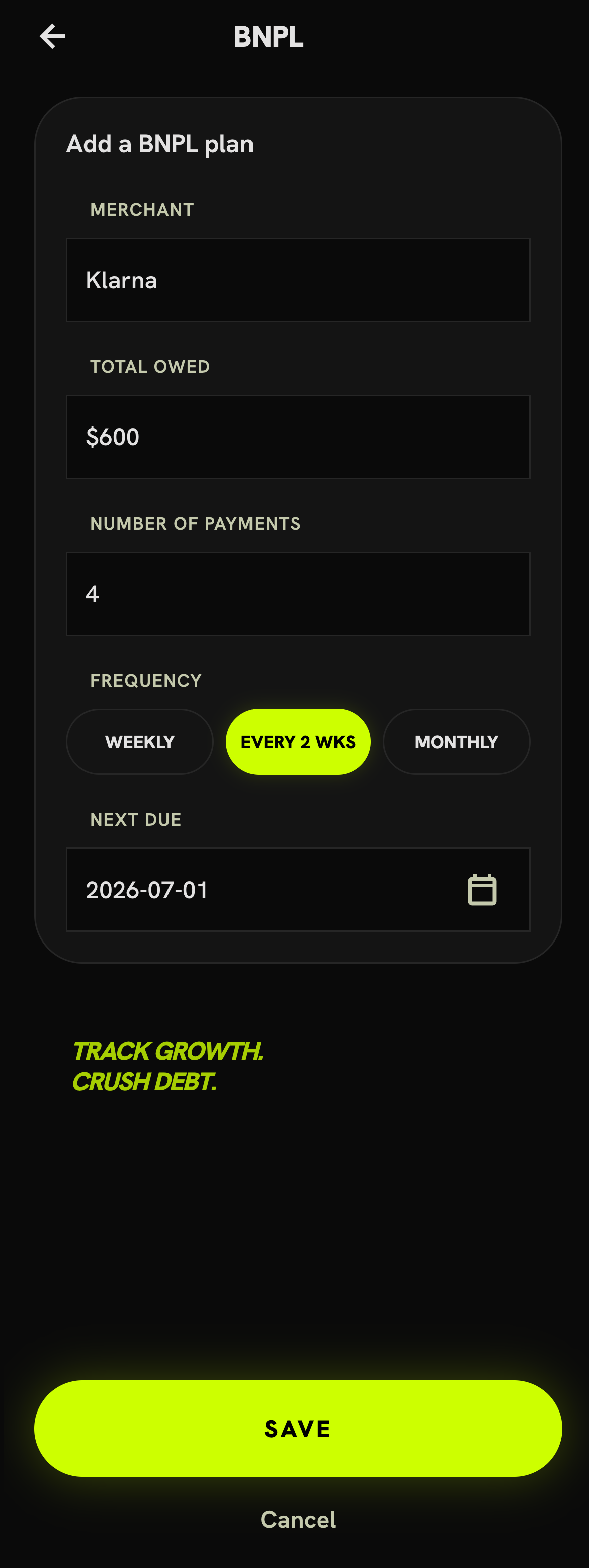
Tap + Add a BNPL plan and fill:
| Field | Means | Example |
|---|---|---|
| Merchant | Who you're paying | “Klarna” |
| Total owed | Full plan amount | $600 |
| Number of payments | Installment count | 4 |
| Frequency | Weekly / 2 wks / monthly | Every 2 wks |
| Next due | Date of the next payment | 2026-07-01 |
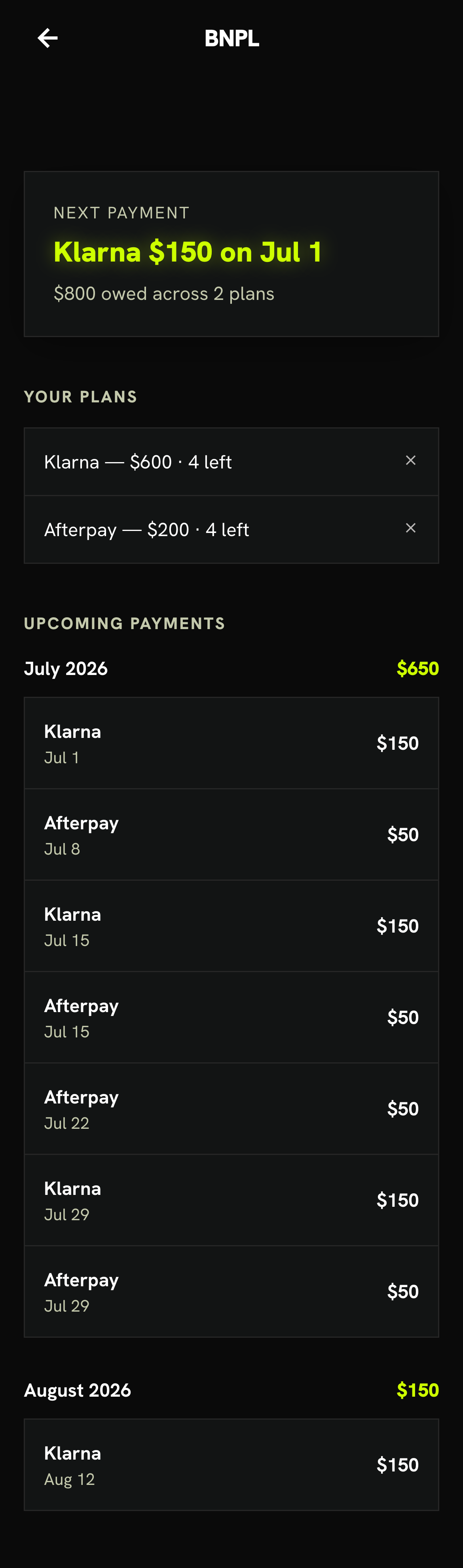
Each saved plan shows up as a row in Your plans — for example Klarna — $600 · 4 left. Tap a row to edit it; tap the ✕ to delete it (you'll get a confirm first). There's no separate "entries" list — your plans are the list.
03 The schedule builds itself
From the total, count, frequency and next-due date the app derives every installment — no per-payment logging. Klarna becomes $150 × 4 (Jul 1, Jul 15, Jul 29, Aug 12); Afterpay becomes $50 × 4 (Jul 8, Jul 15, Jul 22, Jul 29). Add both and you're tracking $800 owed across 2 plans, with the headline showing the soonest: Next: Klarna $150 on Jul 1.
As each due date passes, past installments drop off automatically — out of the calendar and out of each plan's "N left." No manual ticking; your "next payment" is always current.
04 One calendar across plans
Below your plans, Upcoming payments merges every installment from every plan into one agenda — grouped by month with a total at the top of each month:
| Month | Total due |
|---|---|
| July 2026 | $650 |
| August 2026 | $150 |
July picks up Klarna ($150 each on Jul 1, 15, 29) plus Afterpay ($50 each on Jul 8, 15, 22, 29) = $650; August carries the last Klarna payment of $150 on Aug 12.
05 Reminders — the whole point
For each upcoming payment, premium subscribers get a push reminder 3 days and 1 day before it's due. First time you set up a plan it asks for notification permission — allow it once and you're covered. (No permission, or on web, the reminders simply no-op.)
06 Free vs Premium
- Add one plan and see its calendar.
- Track all your plans aggregated in one calendar.
- Per-month totals & total owed at a glance.
- Due-date reminders before every payment.
Quick start
- Open My Money → BNPL.
- Add each plan: merchant, total, number of payments, frequency, next due.
- Allow notifications when prompted.
- Watch your plans stack up in Your plans — tap to edit, ✕ to delete.
- Check Upcoming payments for what's due this month and next.
- Get reminded 3 days & 1 day before — never miss a payment.